
How I Turned my Rabbit R1 Into a Casual Desk Companion
The Quick Version:
I built an app for the Rabbit R1 that turns the device into a pal that to just hangs out with you at your desk.
The Rabbit R1 is already pretty good at practical tasks. It can fetch answers, take notes, log meetings, and help organize information. It’s even an excellent device for farmers in the field. But one day, while mine was sitting on my desk, I had a different thought:
What if it could just…hang out?
That idea led me to build R1 Desktop Chat – a more relaxed, less buttoned-up experience for the Rabbit R1. Instead of acting like a task machine, this app turns the device into a casual chat companion that can sit on your desk, counter, or table and spark conversation whenever you want it to.
What R1 Desktop Chat Does
Once the app is launched, the R1 displays a pair of animated eyes (blinking and appearing to glance around the room) and stays active while the app is running. Plug it in, set it on your desk, and it’s ready to chat for as long as you want.
The whole experience is designed to feel lightweight, natural, and a little playful. The main features are:
Basic Chat
If there’s something on your mind, you can press and hold the side button like normal and start talking. No extra friction. No setup. Just pick it up and chat.
Tap to Chat
Feeling chatty but not sure what to talk about? That’s where Tap to Chat comes in. Just tap the button, and the app will kick off a conversation for you. It’s a simple feature, but it gives the R1 more personality and makes it feel less like a tool waiting for instructions and more like something that actually engages with you.
Idle Time Chat
This is the feature that I use the most. With Idle Time Chat, the app can automatically start conversations at preset time intervals if you haven’t interacted with it. So if you’re working quietly, sitting around, or just feeling a little too lazy to initiate conversation yourself, the R1 steps in and breaks the silence.
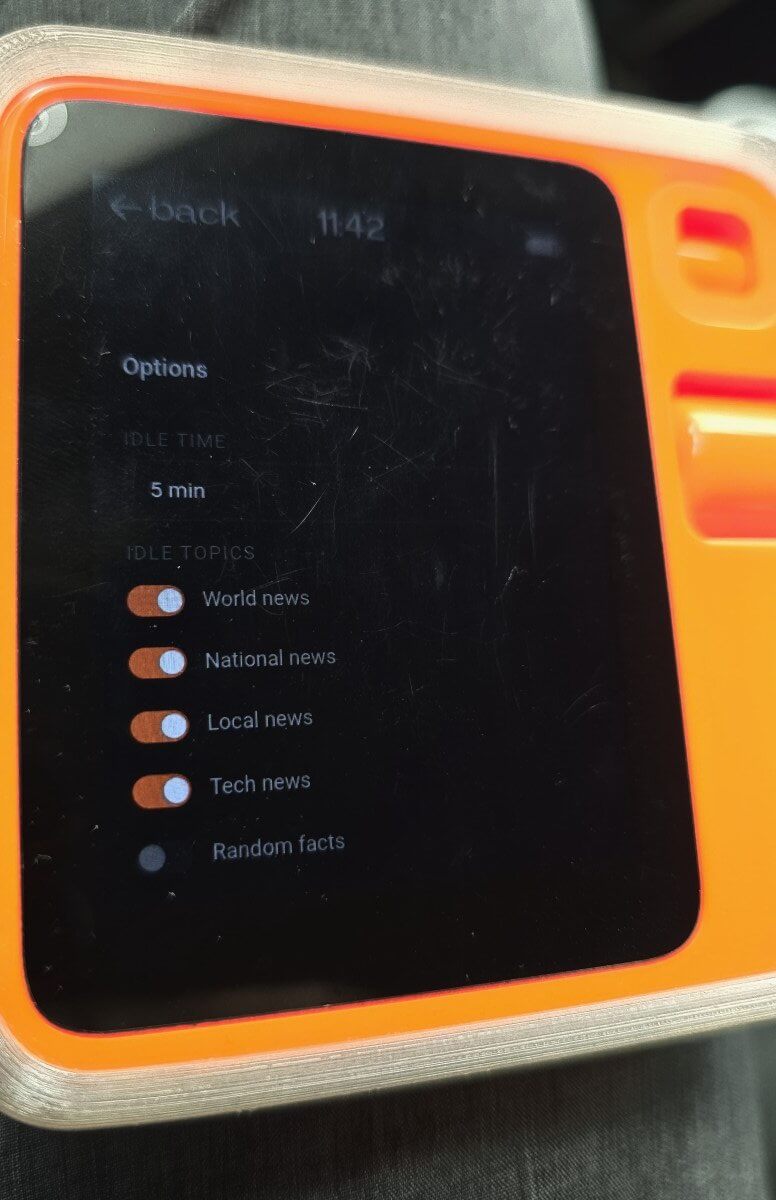 Users can scroll through the settings to decide what kind of conversation starters they want. Current options include:
- World News
- National News
- Local News
- Tech News
- Random Facts
- Thoughtful Questions
- Inspirational Quotes
- Jokes
- Trivia
There’s also a Personal Interests option, where users can type in subjects they care about and have those included in the conversation mix. For example, I added things like gardening, Elon Musk and OpenAI.
I think that level of personalization makes a big difference. It gives the device a better sense of what might actually grab your attention instead of just feeding you generic information.
Built for Casual Use, Not Clutter
I didn’t want these conversations appearing in the Rabbit Hole journal. Since this app is all about casual interaction, chats aren’t stored in the journal – which means users don’t have to worry about cluttering up their notes or mixing everyday conversation with their more important logged content.
That keeps the experience clean and makes R1 Desktop Chat feel like its own thing.
Local Info Makes It More Relevant
Another useful addition is local awareness. Users can enter their ZIP code or postal code, and the app will use that information to pull in local news and weather. That gives conversations more context and makes the idle prompts feel more relevant.
Settings That Stick
I also made sure the user’s preferences are saved after exiting the app.
So if someone updates their chat categories, adds personal interests, or sets local information, those options will still be there the next time they launch it. That may sound like a small thing, but it matters. Good user experience often comes down to details like this in my opinion.
People shouldn’t have to reconfigure the app every time they want to use it.
Why I Built It
This project started with a very normal moment: I was sitting at my desk, my R1 was nearby, and I thought it would be nice if it could be more of a casual companion than a purely functional device.
That small idea turned into something surprisingly useful.
With the idle time chat feature, the R1 doesn’t just wait around for commands. It becomes proactive. It brings information to me. Sometimes it tells a joke that actually makes me laugh. Sometimes it shares a news item that sends me down a…rabbit hole. Sometimes the trivia is weirdly fascinating.
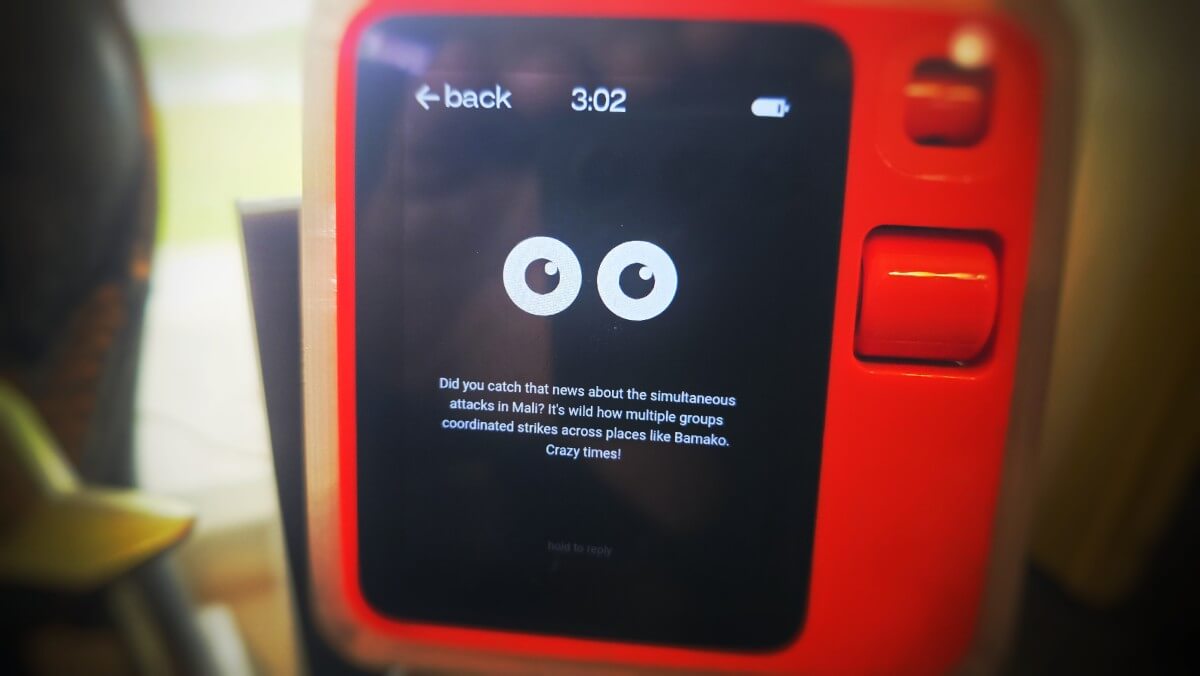
All I really have to do is start the app and let it sit there.
In a strange way, when the app is opened up, it makes my R1 feel like an interactive paperweight — but in the best possible sense.
More Useful Than You’d Expect
I originally imagined this as something to keep on a desk, but I’ve found I like using it in other situations too.
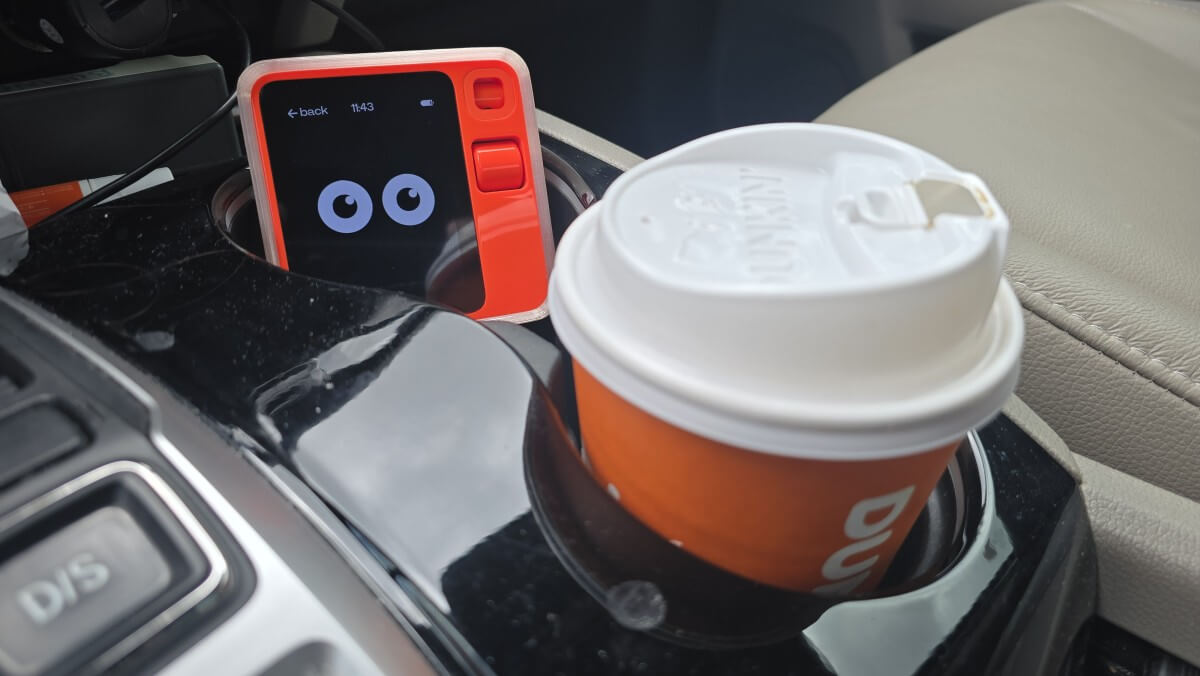
For example, I’ve enjoyed having it running while driving alone. It adds a little bit of spontaneous interaction without me needing to think too hard about it. And if battery drain is a concern, lowering the screen brightness is an easy fix and drastically reduces the energy consumption. I generally keep it plugged in while I’m running the app though.
Turning a “Paperweight” Into Something Fun
Let’s be honest: there’s a crowd of people who wrote off the R1 and decided it was basically just a paperweight.
I get it. But that’s also part of why I like this app. R1 Desktop Chat takes that exact criticism and flips it into an opportunity. If the device is already sitting there on your desk, why not make it do something useful? Why not turn it into something that adds a little personality, breaks up the silence, and occasionally delivers something genuinely helpful?
That’s the whole point.
It’s not trying to be overly serious. It’s not trying to replace anything. It just makes the Rabbit R1 more engaging, more conversational, and more present while you just sit there.
Moving Forward
The app is still in a beta stage in my opinion; some wrinkles still need to be ironed out to make it feel more natural and make it even more useful. For example, it does this thing on occasion when it tries to make a calculation and gets stuck in a calculation loop. A quick button tap fixes it, but I need to fix that for sure. Regardless, the current state of Desktop Chat has already added to the value of my R1 (which I do, for the record, find quite valuable).
R1 Desktop Chat was a simple idea, but I think it opens up a more human way to interact with the Rabbit R1. Instead of waiting for commands, it becomes a companion. Instead of just handling tasks, it can start conversations. For some, instead of sitting there like a forgotten gadget, it can actually earn its spot on your desk…or your car’s cupholder.
R1 Desktop Chat download QR 👇

Wanna keep reading?
Great app !!
this is awesome, cant wait to try it out