
VaultR: Building an Offline Password Manager for the Rabbit R1
The Quick Version:
I built a lightweight, offline password manager that brings together dedicated hardware, local storage, PIN-protected access, and customizable password generation.
Years ago, I used LastPass because it made password management easy. I could store my login details in one place, access them from almost anywhere, and avoid memorizing dozens of increasingly complicated passwords.
Then LastPass experienced a data breach, and I had one of those “Maybe convenience shouldn’t be my only priority” moments. 🤦 So, I switched to a much older password-management system: a physical notebook.
It wasn’t sophisticated, but it was offline. Nobody could access it through a website, an app, or a compromised online account. To steal my passwords, someone would have to physically break into my house and find the notebook.
Of course, that solution created a new set of problems. I had to carry the notebook whenever I thought I might need one of my passwords. And if someone ever found it, every login written inside was immediately exposed. There was no PIN, lock screen, or additional layer of protection.
That got me thinking: Could I combine the offline security of a notebook with the convenience of a digital password manager?
That idea became VaultR, an offline password vault created for the Rabbit R1.
Bridging the Gap Between Security and Convenience
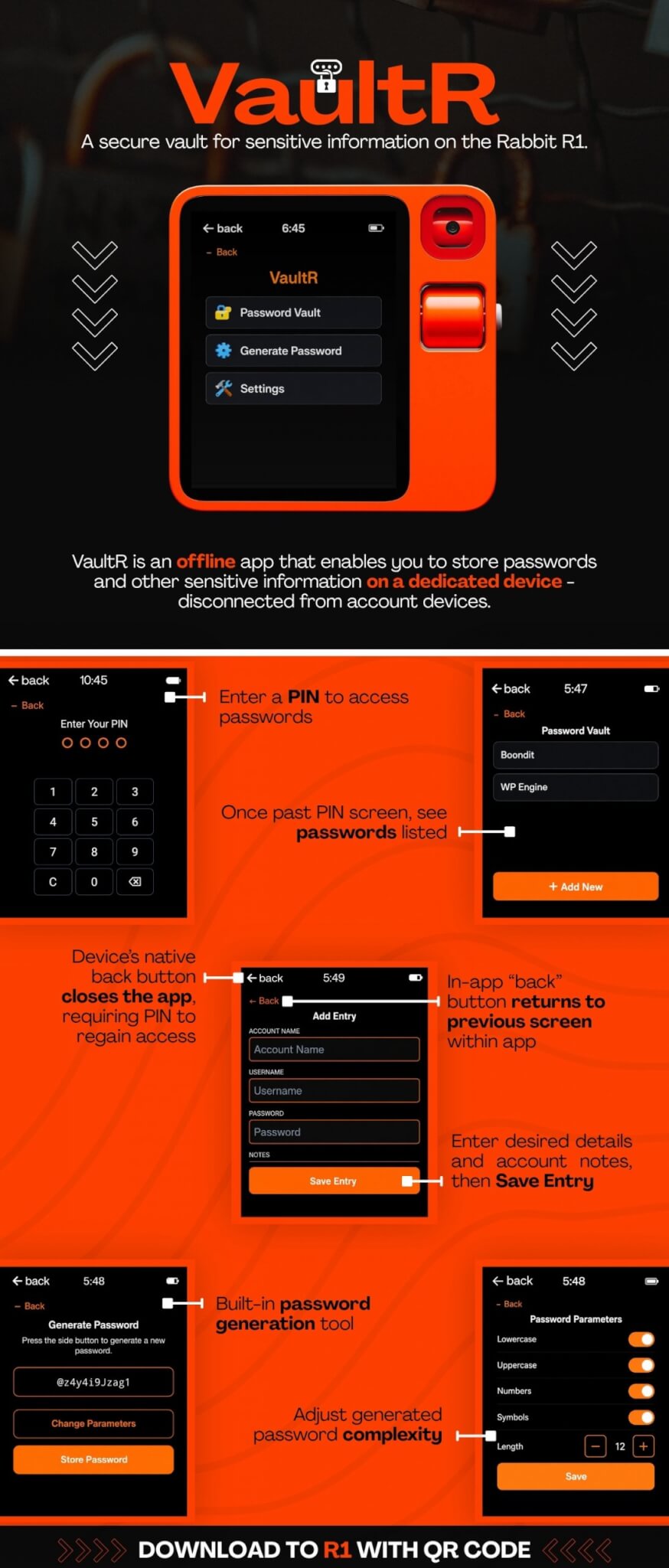
VaultR stores passwords directly on a dedicated R1 device. It gives me a digital place to organize login information without relying on a cloud-based password database. The goal wasn’t to create an overly complicated cybersecurity platform. I wanted something focused, practical, and easy to use – a small tool that solves a specific problem. Here’s what makes VaultR useful…
Your Password Vault Lives on a Separate Device
You could install a password manager on your phone or computer, but those are probably the same devices you use to access your email, banking, social media, and other important accounts. With the Rabbit R1, we can take a different approach: it can act as a dedicated password-storage device that isn’t also being used to log into the accounts it protects. That separation creates an additional boundary between your passwords and your everyday devices.
Passwords Are Stored Offline
VaultR saves password information locally on the R1. The data isn’t stored in the rabbithole or another web-accessible database. That was one of the most important parts of the project for me. I wanted the convenience of digital password storage without making remote access part of the equation. VaultR works more like the notebook method, but with a much better interface.
PIN-Protected Access
Before VaultR displays any saved passwords, the user must enter a PIN. That means finding or taking the device doesn’t automatically reveal everything stored inside it. The PIN provides an additional layer of protection that my old notebook never had.
VaultR also takes advantage of the R1’s navigation behavior. Using the device’s native back button closes the app, requiring the PIN to be entered again the next time VaultR is opened. Inside the app, a separate back button allows users to move between screens without closing the vault. It’s a simple interaction, but it helps balance usability with controlled access.
A Built-In Password Generator
Creating a strong password can be surprisingly annoying. We all know that passwords should be long and difficult to guess, but manually inventing one every time isn’t exactly fun. VaultR includes a built-in password generator that lets users control several parameters, including:
- Password length
- Uppercase and lowercase letters
- Numbers
- Symbols
Once a password is generated, it can be saved directly as a new VaultR entry. This keeps the entire process inside one focused workflow.
A Small Tool Designed Around a Real Problem
VaultR started with a personal frustration: cloud password managers felt convenient but distant, while a physical notebook felt secure but cumbersome. Rather than accepting either extreme, I used the Rabbit R1 to explore a third option. The result is a lightweight, offline password manager that brings together dedicated hardware, local storage, PIN-protected access, and customizable password generation.
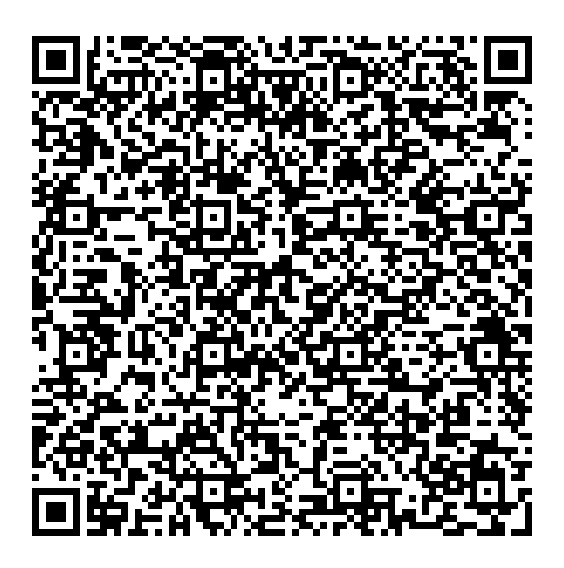
More importantly, VaultR represents the kind of technology project I enjoy building: one that starts with an everyday operational problem and uses a simple, creative solution to improve the process. Here’s a download QR code if you happen to have a Rabbit R1.
Bug found: I’ve discovered a bug that you should be aware of if you use VaultR. If you generate a password and save it before you’ve entered your PIN, saving that generated password will overwrite all previously stored passwords. To avoid this, be sure to enter your PIN first, then generate and save the new password. I’ll get around to fixing this at some point, but for now, that is the workaround.
Wanna keep reading?